AI Chat Checkout Assistant That Customers Actually Trust
A B2B SaaS platform wanted to add an AI chat assistant inside its customer portal to help users complete complex checkout and plan‑upgrade flows. The backend was ready, but early experiments produced “clever” yet confusing interfaces,customers didn’t know what the bot could do, or whether it was safe to confirm changes. I was brought in to design the chat experience, UI, and guardrails, using your AI‑ready design system hooked up to Figma MCP, Claude, and Cursor. When I joined the workstream, the AI assistant was already wired into billing APIs and technically working. It could change plans, add seats, and apply credits.
But the experience felt like a thin chat window bolted onto a serious part of the product. Support was still handling most upgrade requests, the PM was under pressure to justify the investment, and the CTO and CISO were understandably nervous about “invisible” changes happening through an opaque UI.
But the experience felt like a thin chat window bolted onto a serious part of the product. Support was still handling most upgrade requests, the PM was under pressure to justify the investment, and the CTO and CISO were understandably nervous about “invisible” changes happening through an opaque UI.
Wicked Problem
An AI‑powered assistant to help existing customers upgrade plans, add seats, and apply credits inside the billing portal. On paper, the agent could do everything support could but in reality, customers weren’t using it with confidence. Instead of feeling guided, they felt unsure and exposed, so they bailed out or contacted support anyway.
Challenges
-
Customers abandoned upgrade flows midway or went straight to support tickets.
-
The AI could perform actions, but the surrounding UI broke core UX principles.
-
No clear visibility of system status – customers couldn’t tell if a change had gone through.
-
High cognitive load – too many options at once and reliance on open‑ended, free‑text prompts.
-
Unclear risk boundaries – people were afraid they might “break” billing or make an irreversible mistake.
A typical customer would open the portal, click on the CTA Ask the assistant, type something like upgrade my plan, and immediately hit friction
How might we?
I framed the challenge as a set of “How might we” questions for the team:
-
How might we make AI‑driven upgrades feel as safe and predictable as talking to a human agent?
-
How might we reduce cognitive load so customers can complete an upgrade in a few clear steps, not a negotiation with a chatbot?
-
How might we make every AI action visible, reviewable, and reversible, so security and support stay comfortable?
So what?
-
If we get this right, we unlock a new self‑serve revenue stream and free support from repetitive upgrade requests.
-
If we get it wrong, we erode trust in billing, the most sensitive part of the product and create more work for support and engineering.
My Role
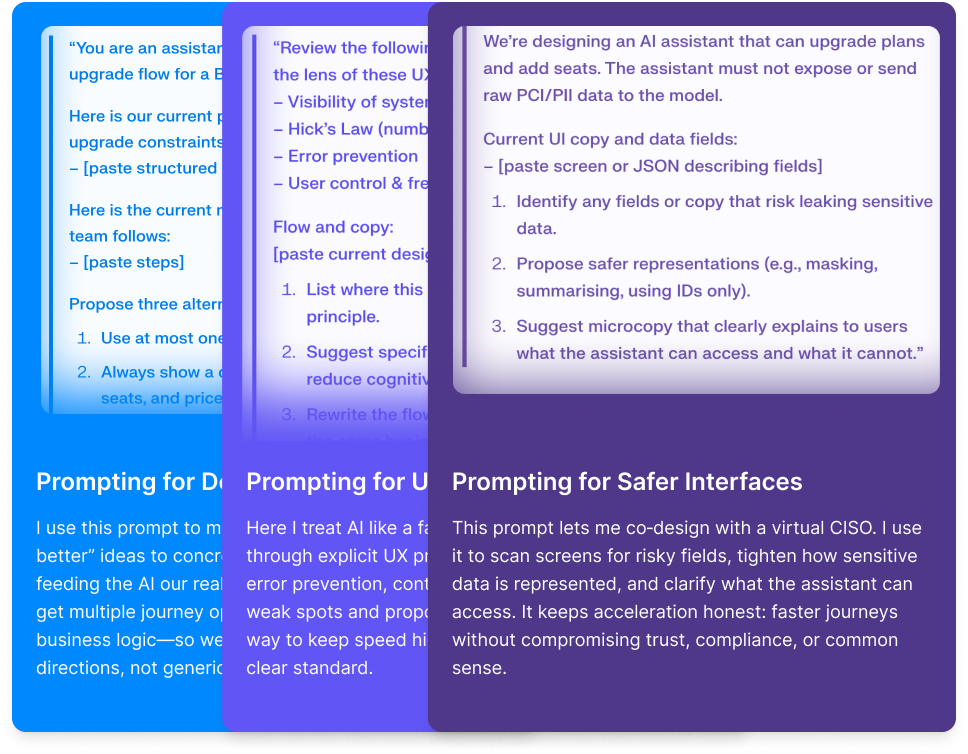
In this project, the AI agent could change plans, add seats, and apply credits but it still didn’t “know” our business. It was a Large Language Model predicting patterns from training data, not a billing specialist.
My job as Head of Product Design was to bring my strategic human centered insights and uncovering the how would they use it.
Keeping Humans in the Loop
-
Ground the assistant in our data and rules, not generic patterns.
-
Protect customer and billing data so acceleration never meant leakage.
-
Make sure every AI decision was reviewable, explainable, and reversible before it touched a live account.
-
Build transparent systems that foster user trust
Once we shipped the redesigned assistant:
-
1
Self‑serve upgrade success rate increased by 27%.
-
2
Average time to complete an upgrade dropped from 3:40 → 1:55.
-
3
Support tickets about plan changes fell by 32% in the first 6 weeks.
-
4
In a follow‑up survey, 78% of users said they “trusted” or “strongly trusted” the assistant to make billing changes correctly.
What difference it made
For the business, this turned an experimental AI feature into a repeatable revenue and efficiency lever. For the team, it became a reference pattern: how we use UX principles as guardrails for any high‑risk AI workflow.
And for me as Head of Product Design, it reinforced the role I care about most: being the calm one in the middle of ambiguity comfortable saying “we don’t know yet,” then methodically peeling back the problem until the metrics, the experience, and the risk profile all line up.